Understanding MCP
What is Model Context Protocol?
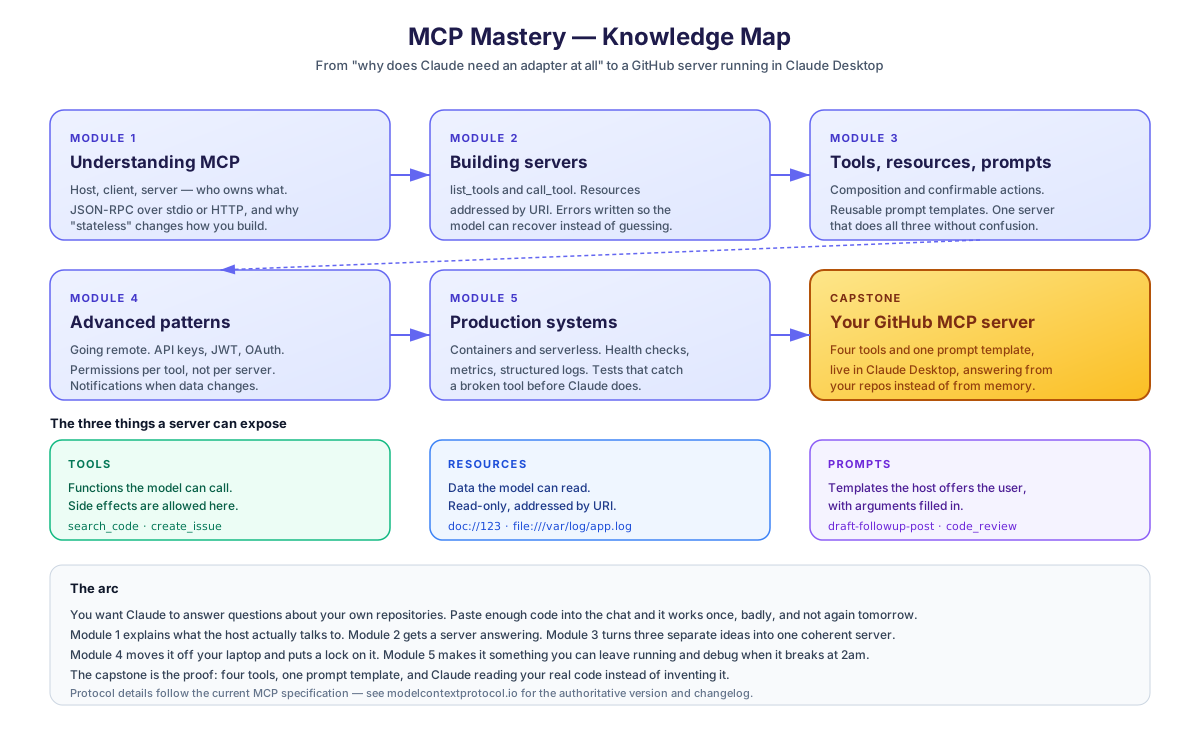
The Model Context Protocol (MCP) is an open standard introduced by Anthropic on November 25, 2024 that enables AI assistants to securely connect with external data sources and tools. Think of it as a universal adapter that allows AI models to interact with your databases, APIs, file systems, and other services. Since launch, MCP has been adopted by Anthropic, OpenAI, Microsoft, Google, AWS, and thousands of third-party developers, becoming the de facto standard for AI-to-tool connectivity.
The Problem MCP Solves
Before MCP, connecting AI assistants to external systems required:
- Custom API integrations for each service
- Repeated implementation of similar patterns
- Security concerns with direct API access
- No standardized way to expose data to AI
MCP provides a standardized protocol that solves all these problems.
How MCP Works
MCP follows a client-server architecture:
| Component | Role |
|---|---|
| MCP Host | The AI application (Claude Desktop, Claude Code, ChatGPT, Cursor, VS Code, Windsurf, etc.) |
| MCP Client | Protocol handler within the host |
| MCP Server | Your service that exposes tools/resources |
Only the third box is yours to write. The first two already exist inside the app you're using.
One question, four hops
One question, four hops
- Host: Claude Desktop, Claude Code, Cursor — the app you already use
- MCP Client: Ships inside the host. Speaks the protocol so you don't have to
- MCP Server: The only box you write. Your data, your rules
- Host → MCP Client: "search my repo"
- MCP Client → MCP Server: tools/call
- MCP Server → MCP Client: result
- MCP Client → Host: grounded answer
What MCP Servers Can Expose
Three capability types, and picking the wrong one is the most common design mistake in a first server. The split is about side effects, not about how the data feels.
Tools vs Resources vs Prompts
Tools
- The model can act, not just read
- Arguments are validated by your schema
- Every tool widens what the model can do to your systems
- Needs a clear description or it gets called at the wrong moment
Resources
- Safe to expose broadly
- URIs make content predictable and cacheable
- Cannot change anything
- Large resources eat context fast
Prompts
- Turns tribal knowledge into a repeatable starting point
- Arguments keep it flexible without rewriting
- Easy to forget — hosts surface them less prominently than tools
- Not invoked by the model on its own
Real-World Examples
The official MCP registry and community now host thousands of servers. A few popular ones:
- GitHub MCP Server: Search repos, create issues, manage PRs
- Slack MCP Server: Send messages, search channels
- Postgres MCP Server: Query and update database records
- Filesystem MCP Server: Read/write local files
- Google Drive MCP Server: Read and search Drive documents
- Puppeteer MCP Server: Browser automation for AI agents
- Brave Search MCP Server: Web search as a tool
You can browse the official registry at registry.modelcontextprotocol.io.
Build checkpoint — do this before the next lesson
You don't need code yet, but you DO need to commit to:
- Which repos will your capstone MCP server expose? Pick 1–3 repos you'd actually want Claude to search/read/file issues in. Can be personal, team, or public — just repos you own.
- Generate a GitHub Personal Access Token with
reposcope at https://github.com/settings/tokens. Save it somewhere secure — you'll paste it into.envat Module 5's capstone. - Install Claude Desktop (https://claude.ai/download) if you haven't already. All the hands-on work runs through its MCP connection.
In the next lesson, we'll explore MCP's architecture in detail.
Sign in to rate